What Is an Explainer Video Storyboard? And How to Make a Great One

Co-founder of Yum Yum Videos | Explainer Video & Video Marketing Expert
A storyboard is a series of panels that shows how a video will unfold before production begins. Each panel represents a shot or scene and can include notes about dialogue, camera movement, transitions, on-screen text, and other visual details.
For an explainer video, the storyboard is where the script starts becoming visual. It lets the production team decide what the viewer will see while each line is being spoken, how one scene connects to the next, and whether the story makes sense before animation or filming starts.
At Yum Yum Videos, storyboarding is a standard part of our animation process. We use it to review the visual logic of a piece with the client before moving into illustration and animation, when changes become more time-consuming.
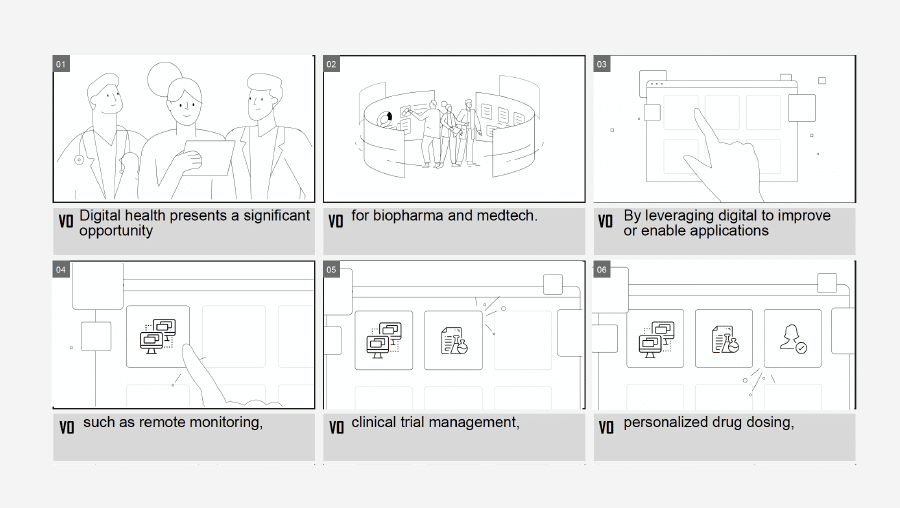
Table of Contents
Table of Contents
What Is a Storyboard?
A storyboard is a sequence of drawings or visual panels used to plan a video scene by scene.
Each panel usually includes:
- A sketch or illustration of the scene
- The corresponding script or dialogue
- Camera or framing notes
- Character actions
- Transitions
- On-screen text
- Timing or production notes when needed
You can think of it as the visual version of the script. The script explains what will be said. The storyboard shows what the audience will see while it is being said.
That distinction is especially important in explainer video production because the visuals should do more than decorate the narration. They can demonstrate a process, clarify an abstract concept, show a product in use, or add information that would be difficult to communicate with words alone.
Why Do You Need a Storyboard?
A storyboard gives the people involved in a video a shared reference before production begins.
Without one, a writer, designer, animator, client, and producer can all read the same script and imagine different scenes. The storyboard turns those interpretations into something everyone can actually review.
It also gives you a chance to catch problems early. If a sequence feels confusing, a scene needs too many visual elements, or an idea is difficult to represent, it is much easier to fix that in a storyboard than after the scene has already been illustrated or animated.
For clients, this stage is useful because they can see how the message will work visually before approving the next phase. Catching structural problems here can also help prevent unnecessary revisions and explainer video costs later in production.
How a Storyboard Helps Video Production
1. It Organizes the Visual Story
A script may read well and still be difficult to visualize.
Storyboarding forces you to make decisions about what happens on screen. You can compare ideas, remove unnecessary scenes, and see whether the visual progression supports the message.
For example, three consecutive script lines may all describe different benefits, but the storyboard may show that the three scenes look almost identical. That is the point where you can look for a more varied visual approach.
2. It Identifies Problems Before Production
A storyboard acts as an early test of the video.
You may discover that a scene needs more visual effects than expected, a transition is unclear, a product screen is missing, or the animation asks for something that would take much longer to produce than the schedule allows.
Finding those issues during pre-production gives the team more options. Once animation or filming has started, the same change can require new illustrations, new footage, additional animation, or another round of editing.
3. It Gives the Production Team a Clear Reference
Once approved, the storyboard becomes a practical guide for the next stages.
Illustrators know which compositions and assets are needed. Animators can see the intended action and transitions. Editors and sound designers have a clearer picture of the timing and structure.
For live-action video, the storyboard can also help plan locations, framing, props, and shots before the filming day.

How to Create a Storyboard in 5 Steps
1. Start With a Template
A storyboard can be as simple as a series of rectangles on a sheet of paper.
Leave space below or beside each panel for script lines and production notes. Number the panels in the order they appear so the sequence stays clear as you revise it.
For a professional animated project, the template will usually be digital, but the basic logic is the same. You do not need to decide the exact number of panels before you begin. Add or remove frames as the visual sequence develops.
The number of frames will also depend on pacing and your explainer video length. A fast visual sequence may need several panels in only a few seconds, while a static scene can stay on screen much longer.
2. Break Down the Script
Take the script and separate it into visual moments.
A new sentence does not automatically require a new panel, and one sentence may need several panels if the action changes while the narration continues.
Ask a simple question for each part of the script:
What should the viewer see while this line is being said?
That question helps connect narration and visuals instead of treating them as two separate layers.
Storyboarding can also expose problems in the explainer video script itself. A line that is difficult to visualize may be too abstract, too long, or trying to communicate several ideas at once.
3. Draw the Main Action
Start sketching the important visual information in each panel.
The drawings do not need to be polished. Stick figures, arrows, boxes, and simple shapes are enough when the purpose is to test composition and action.
The level of detail depends on the production. A quick internal storyboard may stay rough. A storyboard that will be presented to a client often needs more visual information so everyone can understand the intended scene without additional explanation.
4. Add Production Notes
Use the space around each panel to record anything the image alone does not explain.
That may include:
- Camera movement
- Character movement
- Zooms or close-ups
- Transitions
- Text appearing on screen
- Product interface changes
- Voiceover references
- Sound cues
Arrows are often enough to show movement or direction. The purpose of these notes is practical: someone who joins the project later should be able to look at the storyboard and understand what is supposed to happen.
5. Review the Full Sequence
Read the script while moving through the storyboard from beginning to end.
This is where you check pacing, repetition, transitions, visual clarity, and whether every important idea has something meaningful happening on screen.
At Yum Yum Videos, this review happens before the project moves further into illustration and animation. Client feedback at the storyboard stage can still change the sequence without rebuilding finished scenes.
Types of Storyboards
There is no single storyboard format that works for every production. Three common approaches are digital, traditional, and thumbnail storyboards.
Digital Storyboards
Digital storyboards are created with design or storyboarding software.
They are especially useful for animated video because the team can work with visual assets that are closer to the final art direction.
This is the approach we normally use at Yum Yum Videos. It gives the client a much clearer idea of the composition and visual sequence before animation begins.
Traditional Storyboards
Traditional storyboards are drawn by hand with pencil and paper.
They are still common in film, television, commercials, and early concept work because an artist can sketch ideas very quickly and make changes without worrying about polished artwork.
Thumbnail Storyboards
Thumbnail storyboards use very small, rough sketches.
They work best when the team already understands the visual direction and mainly needs to test composition, shot order, or pacing.
Because they contain less detail, they depend on the people involved sharing the same understanding of the scene.
Storyboard Examples You Can Learn From
1. BrightInsight Storyboard Example
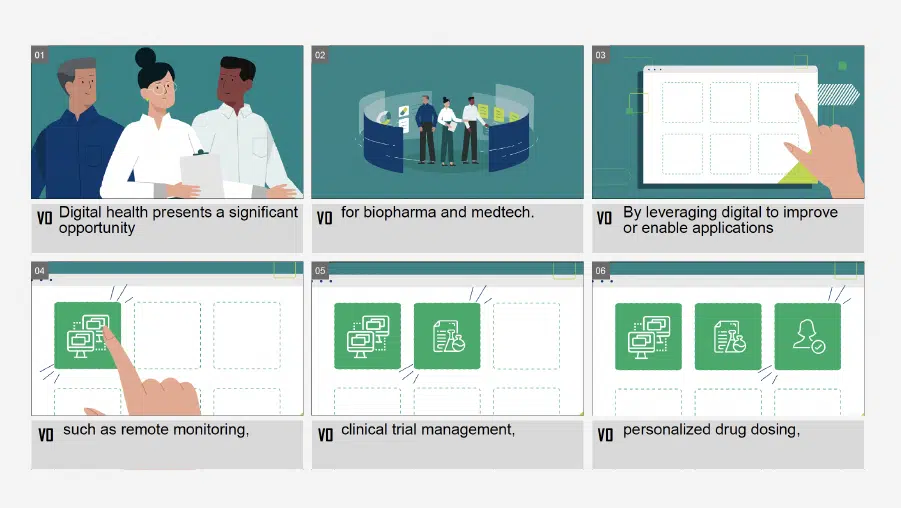
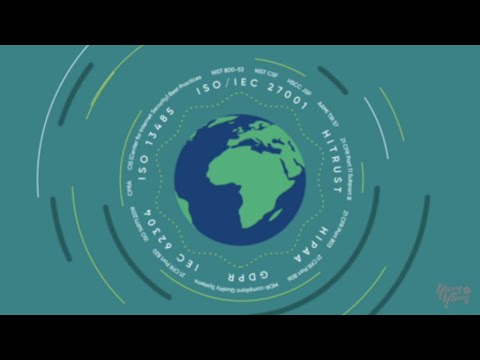
One storyboard example from our own work comes from an explainer video we created for BrightInsight.
In the opening sequence, the voiceover explains what is happening while the characters and visual elements carry out the action on screen.
The storyboard lets the team map that relationship frame by frame. It also shows where elements enter, how the composition changes, and how one shot leads into the next before any animation begins.
This is one reason storyboards are particularly useful for explainer videos. A narrator may describe an abstract idea in a few seconds, while the production team still has to decide exactly how to represent it visually.
You can also watch the finished BrightInsight video and compare it with the storyboard:
.
BrightInsight later announced a $101 million Series C and ranked on the Deloitte Technology Fast 500 with 431% revenue growth from 2019 to 2022. Those milestones belong to BrightInsight’s broader business trajectory, not to the storyboard or video itself. You can see more of the project in our case studies.
2. Hilda Storyboard Example
The animated series Hilda offers a different type of storyboard example.
Here the drawings need to communicate character acting and emotion, so expressions, posing, and movement become more important than they might be in a simple corporate explainer.
A product explainer may focus heavily on interfaces, transitions, and visual metaphors. Character animation may need much more attention to performance and staging. The storyboard changes with the job the video needs to do.
Storyboard vs. Script: What Is the Difference?
A script and a storyboard are connected, but they solve different problems.
The script establishes the message, narration, dialogue, and basic sequence of ideas.
The storyboard translates that script into scenes.
In an explainer video workflow, the script usually comes first. Once the message is approved, the storyboard gives the production team a visual plan for delivering it.
Changing a sentence in the script can change several storyboard panels. Changing a storyboard scene can also reveal that the script needs adjustment. The two stages often inform each other before production moves forward.
What Should Be Included in an Explainer Video Storyboard?
For most explainer videos, I would expect a storyboard to show:
- The main composition of each scene
- Characters, products, or objects that appear
- The relevant voiceover or dialogue
- Important actions and transitions
- On-screen text
- Camera movement when relevant
- Notes for the animation or production team
The storyboard does not need to show every tiny movement an animator will eventually create. It needs enough information for the team and client to agree on what each scene is trying to communicate.
Frequently Asked Questions About Storyboards
What is a storyboard in simple terms?
A storyboard is a sequence of drawings that shows what will happen in a video before the video is produced. Each panel represents part of the story and can include notes about dialogue, movement, transitions, and other production details.
What is a video storyboard?
A video storyboard is the visual plan for a video. It breaks the script into scenes or shots so the team can review the sequence before filming or animation begins.
What is an explainer video storyboard?
An explainer video storyboard shows how an explainer video’s script will be translated into visuals, scene by scene.
It normally combines visual panels with the corresponding voiceover, actions, transitions, and production notes.
Do you need to be able to draw to make a storyboard?
No. Rough sketches are enough when the goal is planning. Professional productions may use more polished digital storyboards, especially when the client needs to approve the visual direction before production.
Does the storyboard come before animation?
Yes. In a typical animation process, the storyboard is approved before final illustration and animation. That gives the team a chance to adjust the sequence while changes are still relatively easy to make.
Before You Move Into Production
A storyboard has done its job when the team can look through the panels and understand the video without having to invent missing scenes in their heads.
Before approving it, read the script from beginning to end while reviewing each frame. Look for repeated compositions, unclear transitions, missing visual information, and scenes that may be harder to produce than they first appeared.
Fixing those issues here is much simpler than finding them after animation or filming has already started.

Victor Blasco
Co-founder of Yum Yum Videos | Explainer Video & Video Marketing Expert
Victor Blasco has over 25 years of experience in animation and film production. For the past 14+ years, he has worked with companies to create explainer and marketing videos that simplify complex ideas and drive business results.
His work has supported global brands like Amazon and McKesson, as well as startups that raised over $2B and reached unicorn or IPO stages.
Victor shares insights based on real client work. His contributions have been published on platforms like Social Media Examiner, and he has been featured or quoted in outlets such as Forbes.