25 Best Product Demo Video Examples for 2026

Co-founder of Yum Yum Videos | Explainer Video & Video Marketing Expert

The 25 product demo video examples in this list cover four common approaches: software workflows, physical demonstrations, animated UI, and products shown in real use.
At Yum Yum Videos, an explainer video production company, we have spent more than 14 years turning products and platforms into videos. Before animation starts, we decide which product action deserves the most screen time and which secondary features can stay out of the demo.
Overloaded demos usually start with too many features competing for screen time. We normally reduce the script to the actions or benefits that change how the viewer understands the product.
The 25 product demo video examples below use very different approaches. Some rely on interface footage, some use animation, and others put the physical product in a real setting. I have kept the list broad on purpose because a good demo format should follow the product, not the other way around.
TL;DR: Product Demo Videos at a Glance
| • | What it is: A product demo video shows how a product works, what it does, or how someone uses it. |
| • | Best for: SaaS, apps, physical products, consumer electronics, ecommerce, healthcare technology, and products with unfamiliar features. |
| • | Typical length: Many marketing demos work well around 60 to 120 seconds. Tutorials and onboarding demos can run longer. |
| • | Best approach: Show the product in the context where the viewer would actually use it. |
| • | For software: Combine real UI or screencast footage with animation when the interface needs explanation. |
| • | For physical products: Let the viewer see the product, its scale, its controls, and the result it produces. |
| • | Main mistake to avoid: Trying to demonstrate every feature in one video. |
What Is a Product Demo Video?
A product demo video is a video that shows how a product works by demonstrating its features, workflow, use case, or result.
For software, that may involve interface footage, animated UI, screen recordings, or a simplified visual representation of the product. For a physical product, the demonstration may show the item in use, how it is assembled, what a control does, or what changes after using it.
A product demonstration video gets close to the product itself by showing the interface, workflow, physical use, or result. An explainer can spend more time on the problem, concept, or value proposition.
Animation works well when an interface is dense, when part of the workflow happens behind the scenes, or when showing every screen would slow the viewer down.
For software and platform projects, our Tech & SaaS explainer videos show how we approach complex digital products. If the goal is broader product marketing rather than demonstration, these product video examples cover several other formats.
What Makes a Good Product Demo Video?
The product should appear early enough that the viewer understands what is being demonstrated.
That sounds obvious, but many demos spend too much time setting up a problem before the audience sees the product. People arriving on a homepage, sales page, app store, or launch campaign already have some intent. They do not need a long introduction.
The next question is what to demonstrate. On software projects, we ask the product team which action changes the user’s perception of the platform. It might be generating a report, moving through a workflow, connecting data, automating a task, or seeing a result appear instantly. That moment deserves more screen time than a secondary settings menu.
Physical products work differently. The viewer may care about scale, texture, speed, setup, portability, sound, or the result the product creates. A coffee machine and a smartwatch should not be demonstrated with the same visual logic.
25 Best Product Demo Video Examples
1. Amazon Coins by Yum Yum Videos
Amazon Coins was a software oriented product, but a literal screen recording would have been too limited for the story. We used animation to recreate the situations in which people would use the product and to focus attention on specific actions inside the experience. That gave us control over timing and scale. An interface element could be enlarged when it mattered, then disappear once the audience understood it.
This is one of the main reasons animation works well for a software product demo video. It can stay close to the product without forcing the viewer to process a full interface at normal size.
The video shows enough of the actual product to keep the demonstration credible, then simplifies interface elements that would otherwise create visual noise.
2. Nespresso Pixie
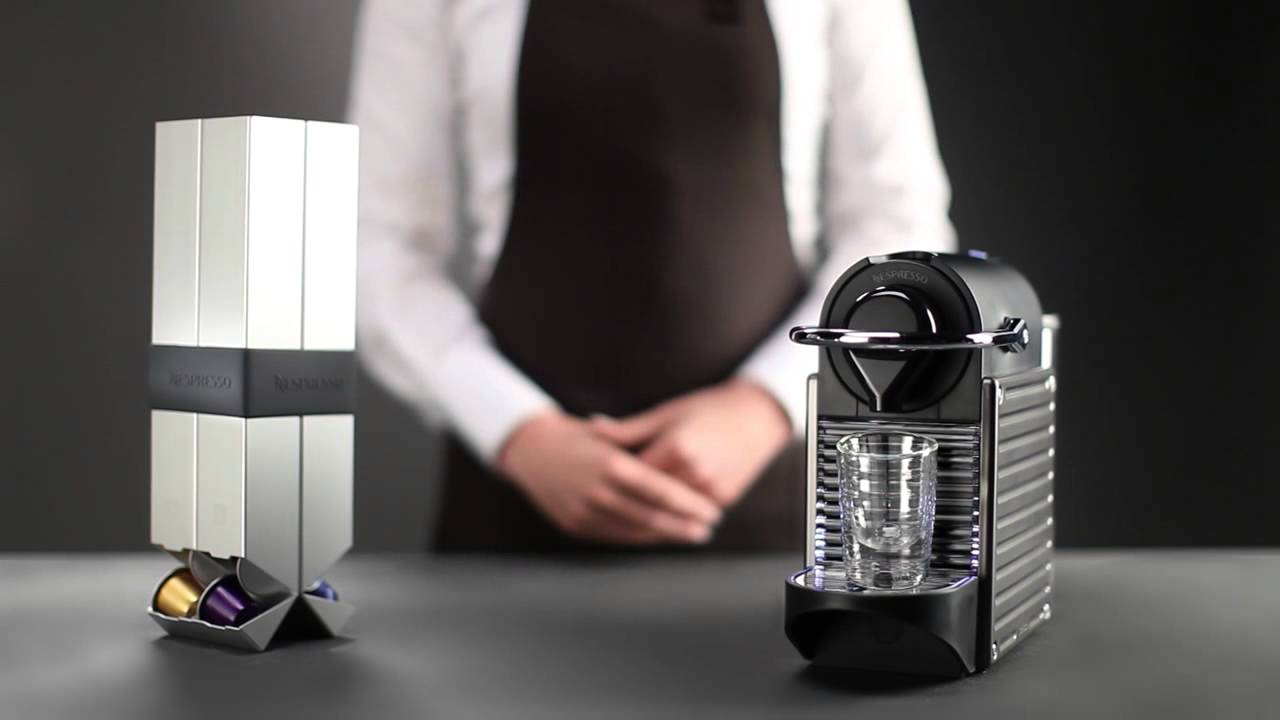
The Pixie demonstration is built around a very simple product promise: making coffee should not feel complicated. The video reflects that. It focuses on the machine, the controls, the coffee, and the result. There is very little explanation because the physical actions already tell the story.
This is a good reminder that a video demo does not need a voiceover when the product is easy to understand visually. Adding narration to every button press would make this piece slower without adding much information.
The strongest physical product demos often do the same thing. They remove the parts that the audience can infer and spend time on the features that need to be seen.
3. Catan by Yum Yum Videos

Catan has the opposite problem. A board game is physical, but the difficult part is not seeing the box or pieces. It is understanding what happens after the game starts.
We used animation to explain the rules, interactions, and objective in a way that moved more quickly than a conventional tabletop demonstration.
A product demonstration video can teach as part of the sale. Catan is a strong example because understanding the mechanics is part of understanding the appeal of the product.
The same principle applies to tools, platforms, and devices with unfamiliar workflows. When the learning curve is part of the purchase decision, the demo should reduce that uncertainty.
4. Philips Airfryer XXL
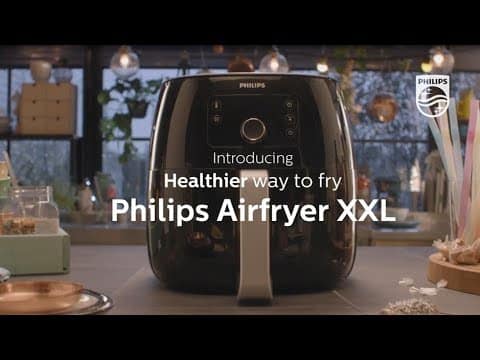
The Airfryer itself is visually simple. The food is not. Philips spends much of the video on what the product produces rather than repeatedly showing the appliance from different angles. The close ups of meals give viewers a concrete reason to care about the machine. That is a useful decision for any product whose value appears in the outcome.
A printer may be more interesting when you see the finished print. A camera can be demonstrated through the image it captures. A kitchen appliance can be demonstrated through the food.
The product remains visible, but the result does much of the selling.
5. Grammarly
Grammarly’s product is embedded inside work people are already doing, so context matters. The demo shows the software while someone writes. Grammar corrections, tone suggestions, and clarity features appear as part of that task instead of being presented as a separate list of capabilities. That makes the product easier to understand because the audience sees when each feature becomes useful.
For SaaS, this is often better than a feature tour. When we plan SaaS demos, we start with the user action around each feature. Showing a button is less informative than showing why the user reaches that button in the first place.
6. Zou Zou Coffee
Zou Zou uses a product demonstration to tell part of the brand story. The video explains how the coffee machine works, but it also connects the product to Turkish coffee culture and to the reason the machine was created. That combination works because the story has a direct relationship with the product.
This is different from adding a generic founder story before a demo. The cultural context helps explain design choices and gives the audience another way to understand what the machine is trying to reproduce.
For a new product entering an unfamiliar category, that context can be useful.
7. Slack
Slack has many features, which makes prioritization the main challenge. The demo focuses on recognizable work situations: team communication, file sharing, search, and connecting different tools. The platform is shown through tasks rather than as a tour of every menu. That approach is worth copying.
For software, the demo is easier to follow when it is organized around what users want to accomplish. Product teams naturally think in features because they build features. Prospects are more likely to think in tasks. The script gets clearer when it follows the task.
8. Apple iPad Air
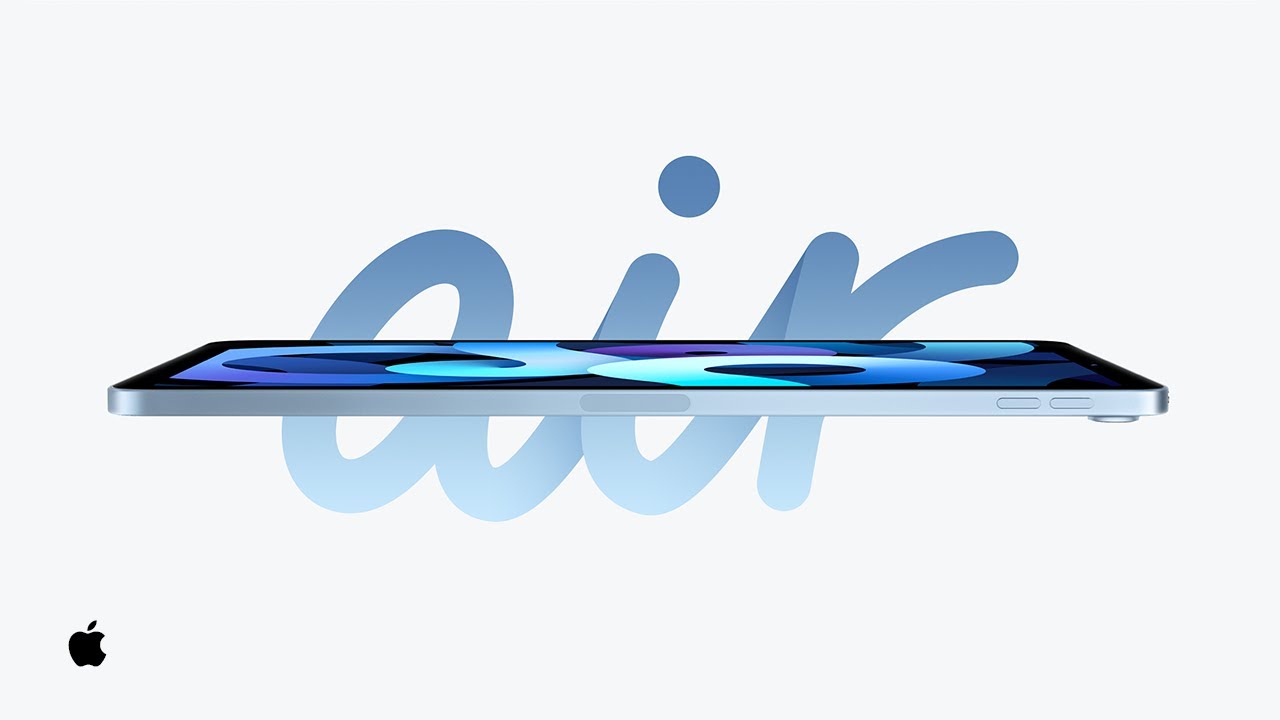
Apple lets the iPad demonstrate itself. Drawing, the Apple Pencil, motion, and the screen become part of the visual language of the video. The product is not sitting beside the demonstration. It is producing the demonstration. That is an elegant option when the feature itself creates visual material.
A design app can create artwork. A camera can create footage. A music tool can create sound. When the output is visually strong, using that output inside the demo reduces the need for explanation. The audience learns by watching the result happen.
9. Pokémon Trading Card Game Pocket
This demo has a built in advantage: many viewers already understand the physical card game. The video uses that familiarity to introduce the digital experience. Opening packs, collecting cards, and interacting with friends connect the new app to behavior the audience already recognizes. For a product extension, this is a useful strategy.
The demo does not have to explain the entire category again. It can focus on what changed between the old experience and the new one.
That makes the demonstration feel faster because the audience arrives with part of the mental model already built.
10. Headspace
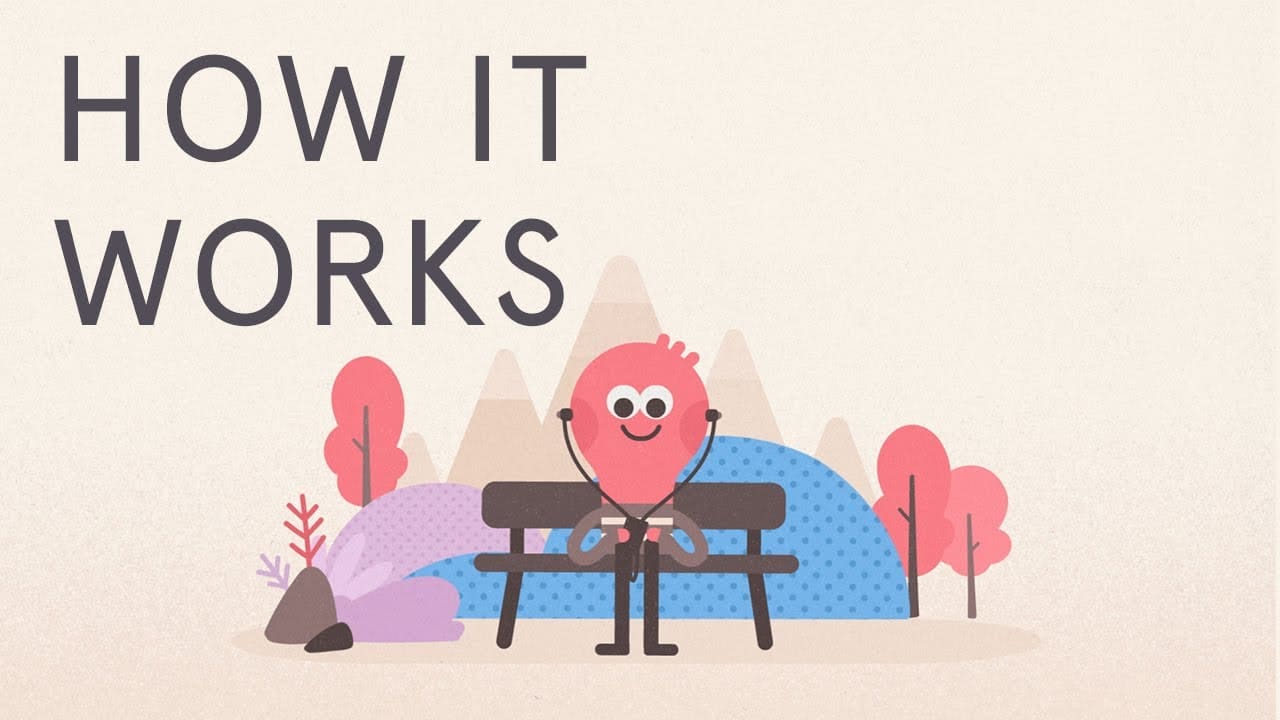
Meditation is hard to demonstrate literally. Headspace solves that by demonstrating the experience around the app rather than trying to visualize meditation itself. Characters, situations, and simple animation help the audience understand when the product fits into daily life. Animation gives this product demo video room to show the situation around the app, something a screen recording cannot capture.
The interface still matters, but the bigger question is why someone would open the app in the first place. Products tied to behavior, wellness, learning, or habits often need this extra layer of context.
11. Solo Stove Bonfire

Solo Stove brings customer footage into the demonstration. That changes the texture of the video immediately. Instead of seeing only polished product shots, viewers see the bonfire being used in real settings by real customers.
For physical products, user footage can answer questions studio footage sometimes misses: what the product looks like outdoors, how people gather around it, how large it feels, and how it fits into a normal environment.
The production value can be uneven and still be useful. User footage can show outdoor appearance, group behavior, scale, and environmental fit in ways polished studio footage may miss.
12. WhatsApp Carts
WhatsApp already had the audience. The job of this demo was feature adoption, and that changes the structure. The video moves quickly into the new shopping workflow because viewers already know WhatsApp. Screen based demonstration is appropriate here because the audience needs to know where to tap and what happens next. This is close to a tutorial, and that is fine.
Demonstration videos range from marketing pieces to instructional content. The right balance depends on how familiar the audience already is with the product.
13. RECOGNIZE by Yum Yum Videos
RECOGNIZE combines software with real workplace behavior, so we mixed live action and animation. Live action helps establish the human setting. Animation gives us more control when the product, process, or interface needs clarification. I like this hybrid approach for business software because it avoids asking one visual style to do everything.
There are moments when the viewer should see a person. There are moments when the viewer should see the platform. There are also moments when neither is the clearest option and a simple animated graphic can explain the idea faster. A mixed media demo can move between those needs.
14. Xiaomi Watch 2 Pro
A smartwatch is easier to understand when it is attached to a day. Xiaomi demonstrates features through situations where the watch becomes useful rather than presenting the device against an empty background for the entire runtime. This gives technical features a practical meaning.
Connectivity, notifications, health information, and convenience are abstract until the viewer sees the moment each one matters. For wearable technology, the person’s routine is part of the product demonstration.
15. Your Phone App for Windows 10
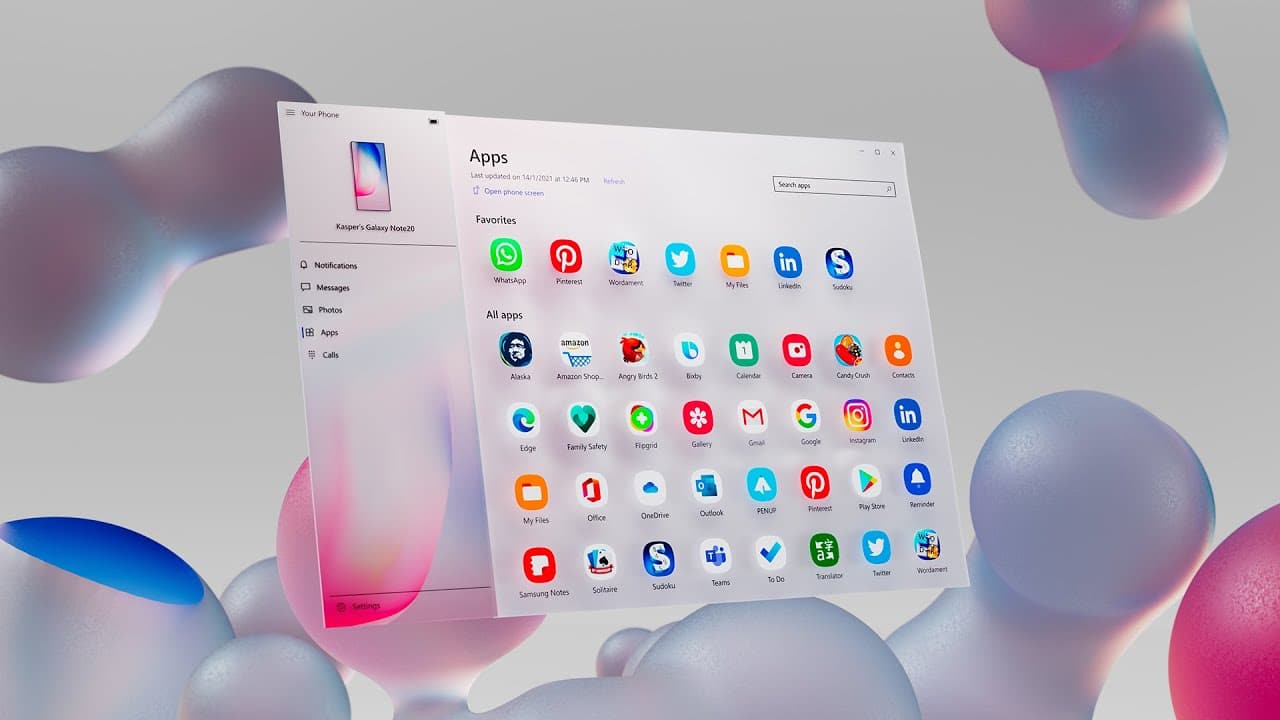
This video takes a more conceptual route. Rather than behaving like a conventional screen tutorial, it uses motion graphics to communicate the connection between phone and computer. That means the piece sacrifices some instructional detail in exchange for a stronger launch impression. Not every product demo video example needs to answer the same question.
A sales demo, onboarding demo, launch video, and feature announcement can all demonstrate a product, but they do not need the same level of interface detail.
16. Sony Noise Cancelling Headphones
Noise cancellation is a difficult feature because the viewer cannot experience it directly through a normal video. Sony has to make an invisible benefit visible. The demonstration uses environments, movement, product shots, and visual treatment to suggest the experience of removing outside noise.
When a feature cannot be reproduced for the viewer, the demo needs a visual proxy for the experience. The closer that proxy is to the way customers describe the benefit, the easier the product becomes to understand.
17. Pipedrive
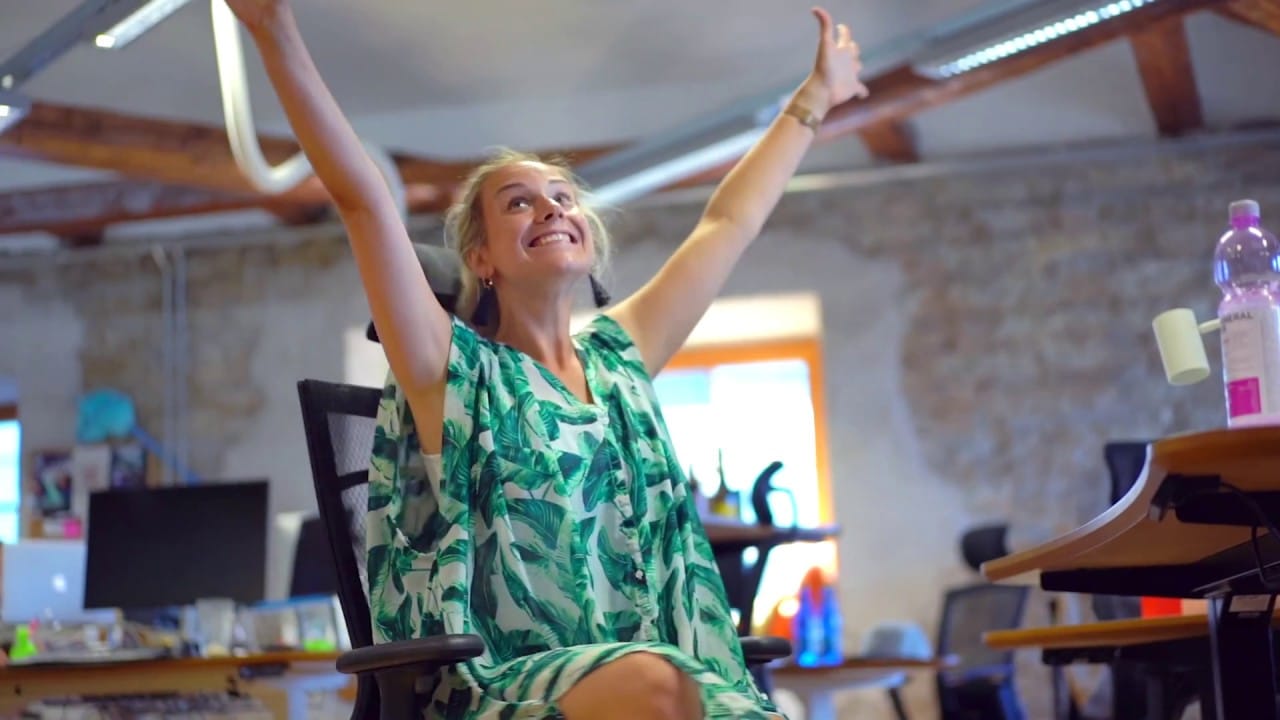
Pipedrive mixes screen demonstration with live action humor. The product information remains straightforward, but the live action scenes give the video a personality that a pure screencast would not have. This is a useful reference for SaaS teams worried that a demo will feel dry.
You do not necessarily need more visual effects. Sometimes the human layer can come from performance, timing, writing, or a small live action setup around the interface.
The demo still needs to explain the product. Personality works best when it does not interrupt that job.
18. OPPO Air Glass 3 Concept
OPPO uses point of view imagery to approximate what wearing the glasses might feel like. Notifications and information appear in the viewer’s field of vision, so the demonstration is built around experience rather than around the physical frame of the glasses.
The most important feature is not the object itself. It is what changes when the object is being used. AR, VR, wearables, and assistive technology often benefit from this first person approach because the interface exists in the user’s environment.
19. RVR by Sphero
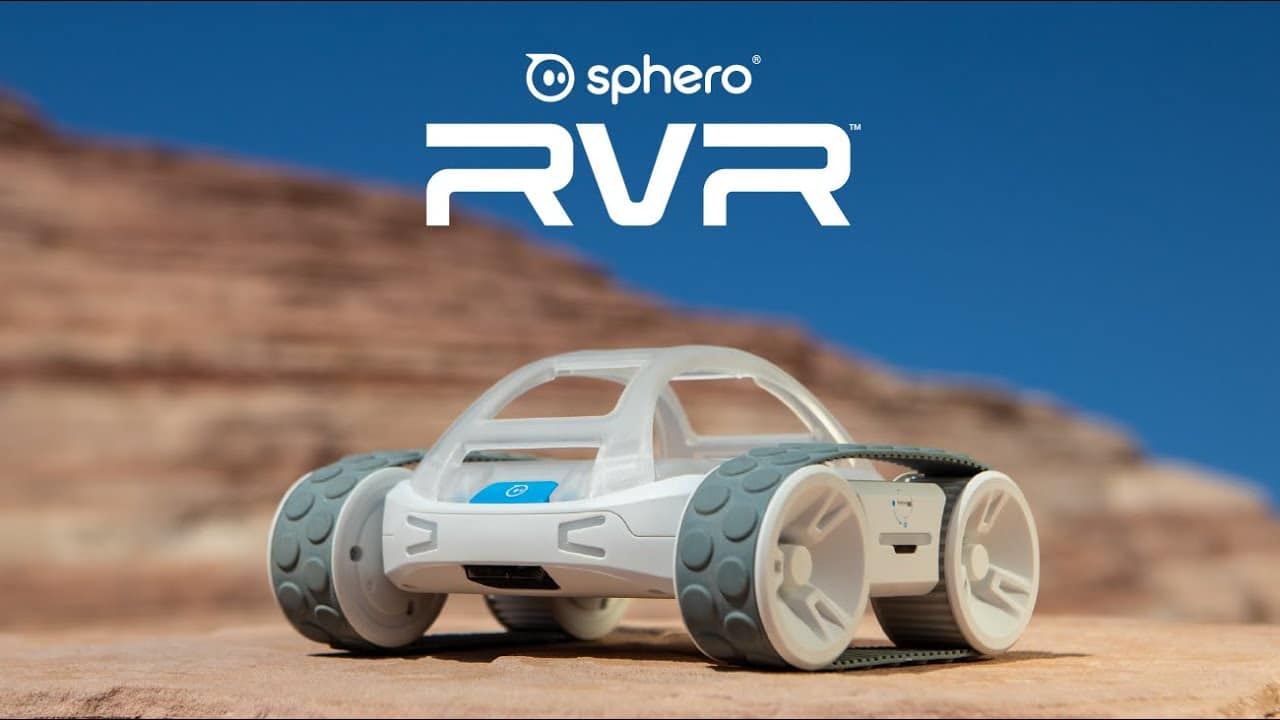
Sphero treats the robot almost like a character in an action sequence. The cinematic shots make sense because movement is a major part of the product. Speed, terrain, control, and physical behavior can all be demonstrated visually.
The production style is more dramatic than most demos on this list, but the core principle is still practical: show the feature through use.
If the product moves, transforms, reacts, or performs something visually interesting, the camera can do much of the explanation.
20. Accelerant by Yum Yum Videos
Accelerant needed to explain a data driven insurance platform and the problems it was designed to address. We used concrete situations to give the audience a way into the model before introducing the platform itself. That was more useful than opening with a list of software capabilities.
Across 2021 to 2024, we produced nine custom explainer videos for Accelerant. During that broader growth period, the company raised $190 million in 2022 and another $150 million in 2023, then went public in 2025 at a valuation of about $6.4 billion.
The full timeline is in our Accelerant case study.
21. JBL GO 2
JBL demonstrates more than a speaker. The video demonstrates the setting in which the speaker is supposed to make sense: portable, colorful, social, and easy to carry. That mood is useful product information.
For lifestyle products, viewers are often evaluating whether the object fits their identity and routine alongside its technical specifications. A demo can communicate both at once when the environment is chosen carefully.
22. Innisfree
Innisfree uses texture and sound as part of the product demonstration. That is particularly effective for skincare because the viewer wants information about consistency, application, and the physical feel of the product, even though touch is impossible through a screen. Close up imagery and ASMR style sound give the audience more sensory information than a conventional talking head review would.
For beauty and food products, those details can be more useful than adding another line of copy.
23. QURE Micro Infusion System
QURE has a trust problem built into the product category. At home microneedling asks the buyer to perform something that may feel unfamiliar or intimidating, so the demonstration has to show both use and confidence.
Creator or influencer led footage can help because the viewer sees another person complete the process in a believable setting, which can make an unfamiliar product feel less intimidating.
24. BMW Parking Assistant
BMW’s parking assistant is a strong example of demonstrating a complicated system through a simple user action. The underlying technology may be sophisticated, but the driver’s interaction can be shown in a few steps. A technical product demo does not have to explain the engineering behind a feature unless that engineering affects the purchase decision.
Sometimes the clearest proof is simply watching the product complete the task.
25. Duolingo Adventures
Duolingo uses this video to introduce a new feature inside a product the audience already knows. That gives the demo permission to skip the company introduction and move directly into the update. Feature announcement demos benefit from this kind of focus.
Show what changed, where the user finds it, and what the new experience adds.
For mature SaaS products and apps, creating separate short demos for major updates can be more useful than continually expanding one long master demo.
Product Demo Video Examples by Format
The examples above fall into a few practical groups.
Software and SaaS demos usually need some combination of interface footage, animated UI, screen recording, or simplified workflows. Slack, Grammarly, WhatsApp, Pipedrive, and Accelerant all approach that problem differently. Physical product demos benefit from real use. Nespresso, Philips, JBL, BMW, Sony, and Solo Stove make the product’s behavior or result visible. For more software-focused references, our SaaS explainer video examples show different ways companies combine product context, workflows, and animation.
Experience led demos are useful when the main value is difficult to show directly. Headspace, OPPO Air Glass, and Xiaomi use context to demonstrate what changes for the user. Feature announcement videos can be shorter and more focused because the audience already understands the base product. Duolingo and WhatsApp are good examples.
This is also why we do not treat product demo video production as one fixed format. The visual approach changes with the product and the job the video needs to do.
How Long Should a Product Demo Video Be?
For a marketing or sales demo, 60 to 120 seconds is a useful starting range. That is enough time to introduce the product, demonstrate a small number of important actions, and end with a clear next step.
Some products need less. A physical product with an obvious use can be understood in 30 or 45 seconds. Other demos need more time. Onboarding, training, technical software, and complex B2B platforms may need several minutes because the audience is actively trying to learn.
The mistake is choosing the runtime before deciding what the audience needs to understand. We usually get a better estimate after the script has been reduced to the essential user flow.
Product Demo Video vs. Product Video
A product demo is one type of product video production. A broader product video may introduce a product, create desire, tell a brand story, announce a launch, or focus almost entirely on benefits.
A demo has a more specific job: help the audience see how the product works or what happens when someone uses it. That distinction matters for production.
If you want a launch piece with strong visual impact, the actual interface may appear only briefly. If you want prospects to understand a platform before booking a call, the product probably needs more screen time.
Our guide to product video examples shows the broader range.
Should a SaaS Product Demo Show the Real UI?
Usually, yes, if the interface is part of what the buyer needs to evaluate. The question is how much of it to show at once.
A dense dashboard can be technically accurate and still be difficult to understand in a video. We often crop, enlarge, animate, or simplify interface elements so the viewer knows exactly where to look. That is different from inventing a product experience that does not exist. The demo should stay faithful to the workflow even when the presentation is simplified.
For a homepage or sales page, animated UI often works well because it keeps the product recognizable while giving the editor more control over pacing.
How Much Does a Product Demo Video Cost?
Cost depends on the production method. A simple screen recorded tutorial can be inexpensive. A custom animated product demo requires script development, storyboard work, interface recreation, design, animation, voiceover, sound, and revisions. Live action demos add filming, crew, locations, talent, equipment, and post production.
At Yum Yum Videos, custom animated projects typically sit in the professional production tier rather than the template or self service tier. For actual market ranges and the methodology behind them, see our explainer video cost research.
5 Product Demo Mistakes That Make the Product Harder to Understand
Showing Too Many Features
A demo becomes harder to follow when every department adds one more feature to the script. Pick the actions that change the viewer’s understanding of the product. Secondary features can live in separate tutorials, help center videos, sales demos, or onboarding content.
Making the Interface Too Small
This is common in SaaS demos. The editor captures the full dashboard because it is technically accurate, but the audience is watching on a laptop or phone and cannot read anything. Crop and enlarge the area that matters.
Explaining What the Viewer Can Already See
If the video clearly shows someone pressing one button and coffee coming out, the narration does not need to describe the same action word for word. Use the voiceover for information the image cannot provide.
Hiding the Product for Too Long
A long problem setup can work in some explainers. It is riskier in a demo because the viewer came to see the product. Get to the demonstration early.
Treating Every Demo Like a Tutorial
A marketing demo and a help center tutorial have different jobs. The marketing version should usually show enough of the workflow to establish value. The tutorial can cover every step needed to complete the task.

FAQ About Product Demo Videos
What is a product demo video?
A product demo video shows how a product works, what a feature does, or how someone uses the product in a real or simulated situation.
What are the best product demo video examples?
Strong examples include Slack for task based SaaS demonstration, WhatsApp for feature education, BMW for showing a complex feature through a simple action, Philips for emphasizing the product result, and Amazon Coins for using animation to simplify a digital product.
How long should a product demo video be?
Many marketing demos work well around 60 to 120 seconds. Tutorials, onboarding videos, and technical demonstrations can run longer when viewers need detailed instruction.
What should a SaaS product demo video include?
When comparing SaaS product demo video examples, look first at how clearly each one shows the user workflow and the result of completing it.
A SaaS demo should show the most important user workflow, enough of the real interface to establish credibility, and the result the user gets from completing the task.
Is a product demo video the same as an explainer video?
An explainer can focus on the problem, concept, or value proposition. A demo gets closer to the product by showing how it works or what happens when someone uses it.
Should product demo videos use animation or live action?
Use the format that best reveals the product. Software often benefits from animated UI, screencasts, or motion graphics. Physical products usually benefit from live footage, although animation can clarify hidden features or processes.
Where should a company use a product demo video?
Common placements include product pages, homepages, sales decks, app stores, launch campaigns, paid ads, onboarding flows, help centers, and email sequences.
Choosing the Right Demo Format
Start with the part of the product the buyer needs to understand. If that is an interface workflow, put the interface on screen. If it is a physical result, demonstrate the result. If the important part happens behind the scenes, animation may be the clearest way to explain it.
The production style comes after that decision. A product demo video should show the product in use and the result that matters to the buyer. Secondary features can move to tutorials or separate videos.

Victor Blasco
Co-founder of Yum Yum Videos | Explainer Video & Video Marketing Expert
Victor Blasco has over 25 years of experience in animation and film production. For the past 14+ years, he has worked with companies to create explainer and marketing videos that simplify complex ideas and drive business results.
His work has supported global brands like Amazon and McKesson, as well as startups that raised over $2B and reached unicorn or IPO stages.
Victor shares insights based on real client work. His contributions have been published on platforms like Social Media Examiner, and he has been featured or quoted in outlets such as Forbes.